How to Hire Cleaning Employees for Your Cleaning Business on Facebook

Are you struggling to hire cleaning employees for your cleaning business? Have you tried the traditional methods of networking, and listing your job on job sites but haven't had any luck? Well in this post, you'll learn how to hire cleaning employees for your cleaning business with Facebook.
Why use Facebook to hire cleaning employees
Hiring employees for your cleaning business can be challenging. You can compare hiring good employees to fishing. If you put one line in the water, you will catch some fish, but if you put many lines in the water you have the chance to catch a lot more.
Most cleaning businesses only advertise their open positions on platforms like Indeed or Monster, which is good, but that can limit your exposure. The more people who know about your available jobs, the more chances you'll have to find your ideal candidate.
Another thing to consider is that on these traditional job sites you are likely only going to reach people who are actively searching for things like house cleaners, or cleaning technicians. When you advertise your open cleaning positions on Facebook, you can reach people who may never even considered working for a cleaning company.
This means you have the potential to find higher-quality candidates or at the very least, reach more people than you would with job sites alone. And with Facebook ads, you will have enhanced targeting with lookalike audiences so your ads will be shown to the people most similar to your ideal hires. We'll cover more on how to set up these ads later in this article.
Set up your job description page
The first step to hiring cleaning employees for your cleaning business on Facebook is to set up your job description page on your website. But simply listing a description isn't enough. You need to sell your site visitors on why they should choose that job over other available jobs.
Similar to marketing your cleaning business, many people struggle with promoting their businesses because they only talk about features. If you want to have an effective job description page you need to describe your job, but also sell readers on the benefits of that job.
This step of highlighting benefits is also crucial because if you are advertising your job openings on Facebook. Since you will be reaching people who may not be actively searching for a position at a cleaning business, you need to sell them on why they should work for you.
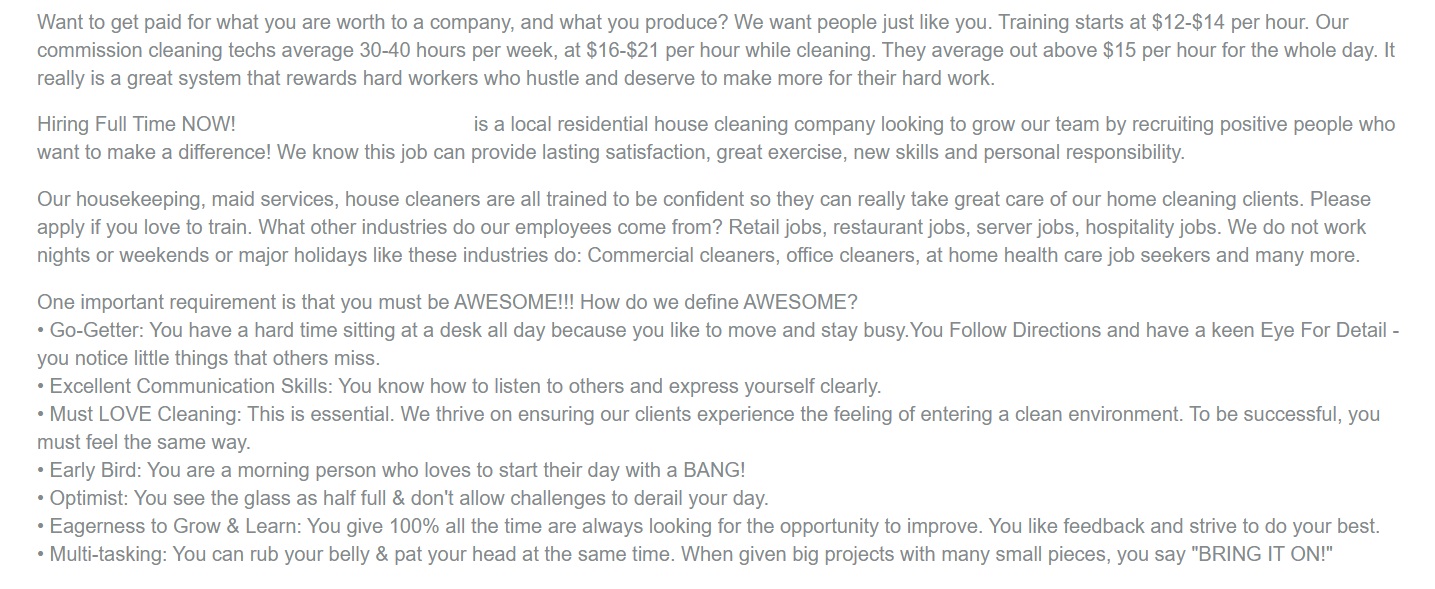
As you'll see in the image below this cleaning business's job description highlights the benefits of not working weekends. It also highlights the opportunity to earn as much or more than typical jobs cleaning business employees often work.
The description also highlights the benefit of job satisfaction and developing new skills, something that similar pay level positions may not provide. The more you can highlight the benefits of the position, the more likely you will attract a higher-quality applicant.
Set up your application thank you page
In addition to creating a high-quality job description page, you also want to create a thank you page that you send people to after they submit their application.
At the very least if you can't make this work, you should put the application on a different page. This will be helpful for when you get into running Facebook ads to promote your open positions.
On the thank you page you can include something as simple as thanking them for submitting their application and someone from your staff will be in contact with them if it looks like a good fit.
The whole point of this page is with regards to Facebook ads, is to gather data of the people who visit this page and then creating targeting around this when you make your Facebook ads.
Install a Facebook pixel on your pages
If you haven't already done so, you should install a Facebook pixel onto your website. This will be helpful to know when people are visiting your job description page, application page, and even thank you page.
Doing so can help you track conversions for applicants and it can also be used to build custom audiences and even lookalike audiences to enhance your ad targeting.
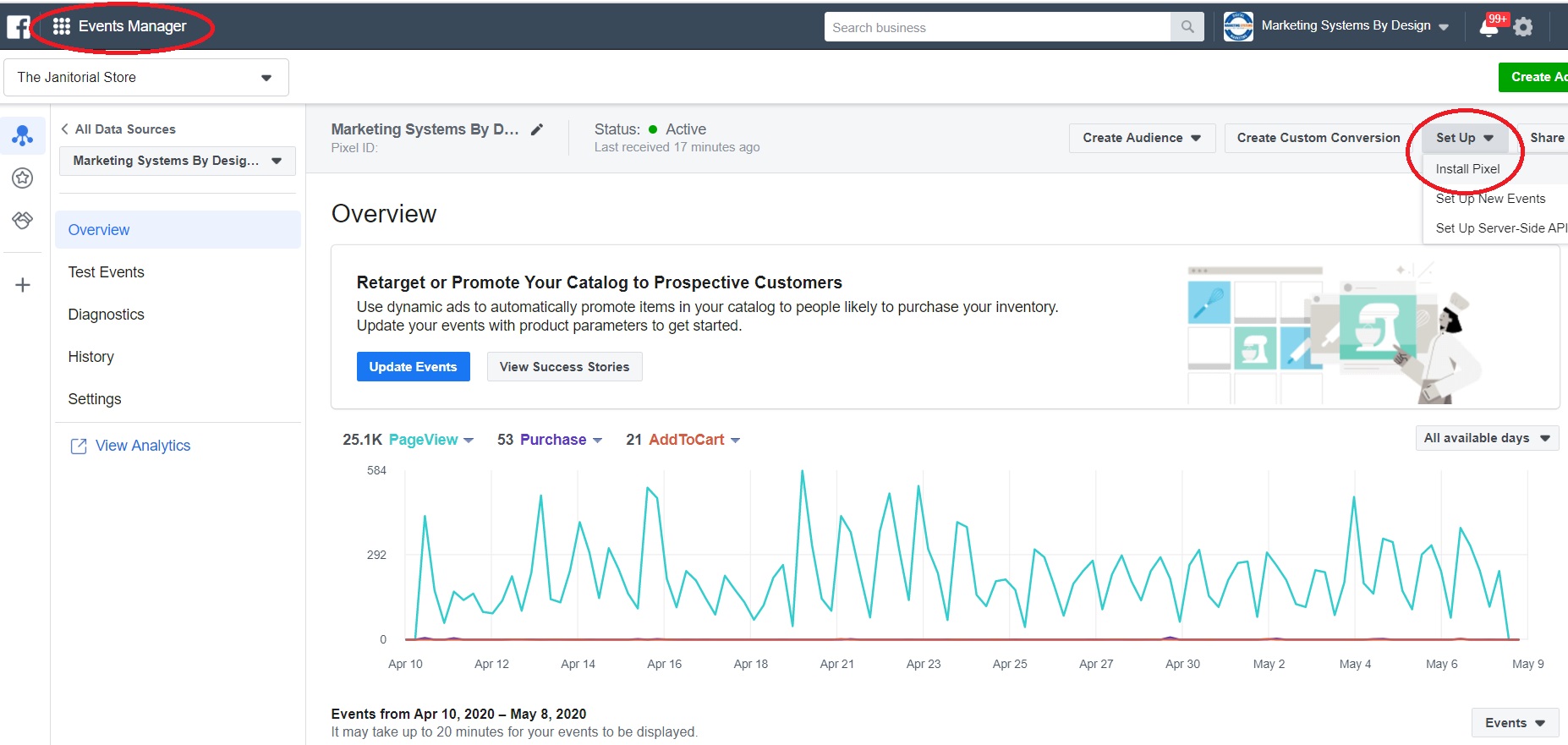
If you haven't done this already, you want to first set up an ads account and business manager account. Once you have done that go into ads manager and click on the top left corner and select events manager. From there create a pixel if you haven't done that yet. Click details and then in the top right click on set up and click install pixel. Facebook has a walkthrough of how to install the pixel from there.
Once your pixel is installed you can start tracking valuable data of visitors to your website. This will be useful once you start running Facebook ads for hiring cleaning employees for your cleaning business.
You can check out this post from Facebook if you need a more detailed walkthrough of installing a Facebook pixel.
How to post job postings to hire cleaning employees on your Facebook Page
Posting a job to your Facebook page can help you to get some organic exposure. Unfortunately, Facebook in general, doesn't give much exposure to a business page's posts organically anymore.
You should still post your job listing on your Facebook page, but likely you will also want to run Facebook ads in addition to posting organically.
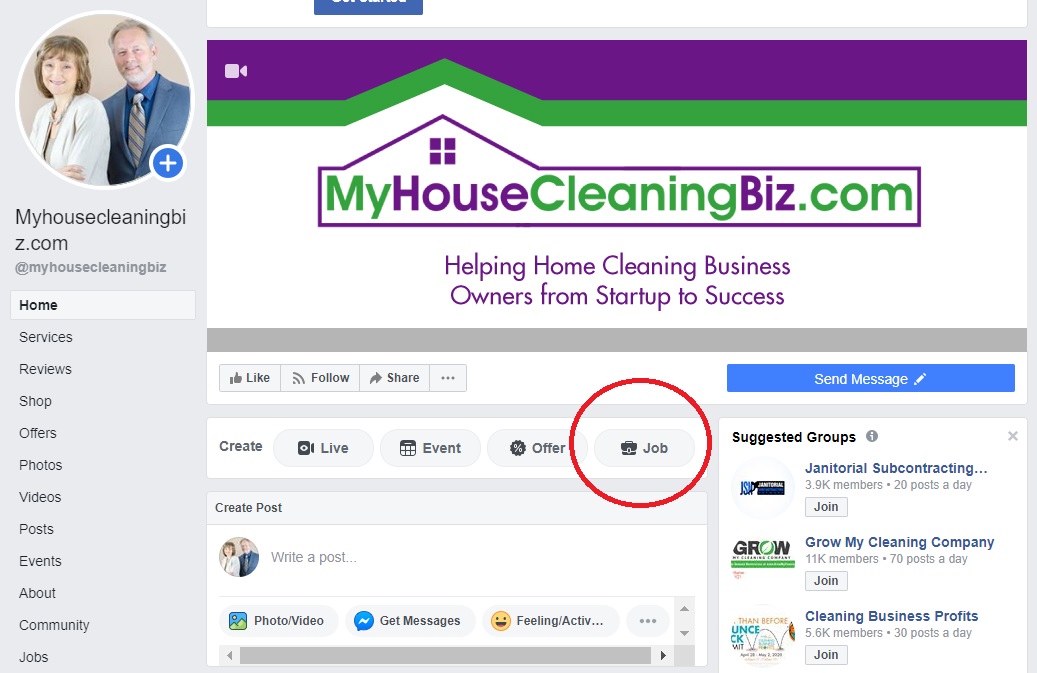
Below are the simple steps to listing a job post on your Facebook page. The first step that you will see below is to go to your Facebook page and select Job.
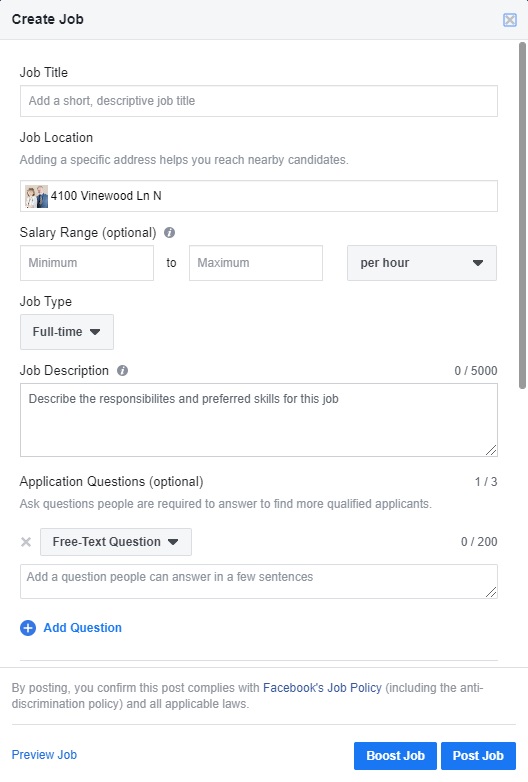
Next, a window will open and you just fill out the information that you see below. Since you would have already created your job description page on your website, you can just copy what you put there into your job posting.
You can also boost this job posting which is a simple way of running a Facebook ad. However, we don't recommend boosting posts as the targeting is less advanced than actually running a Facebook ad for your cleaning business.
How to run Facebook ads for hiring cleaning employees
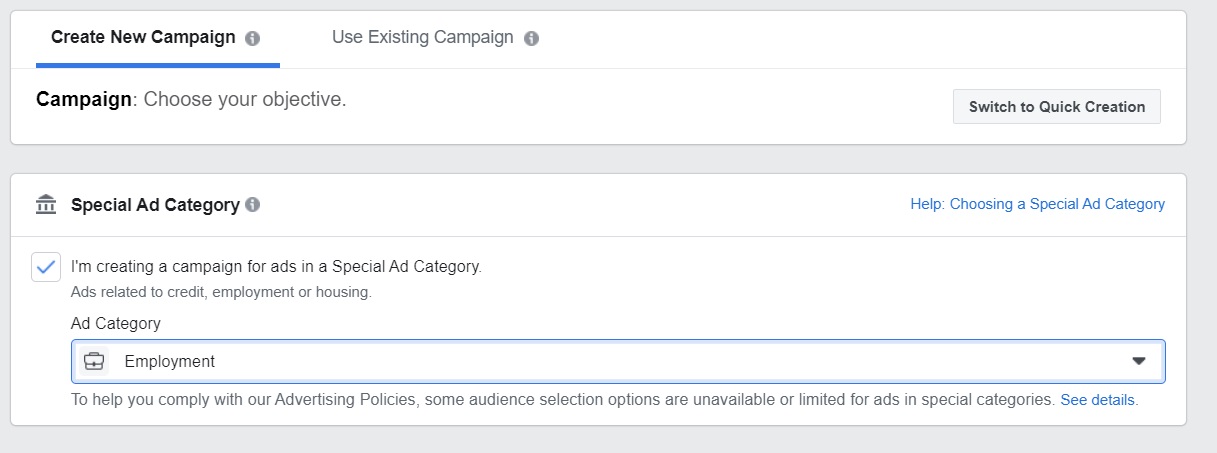
Running Facebook ads for hiring cleaning employees for your cleaning business works a bit differently than your typical Facebook ad. When you run ads for job postings, Facebook categorizes this as a special category ad.
What this means is that some of the targeting settings like age, isn't allowed. Some of the demographics and interests are limited as well. This stricter setting helps to make sure that your job postings aren't discriminatory.
As you can see in the photo below, when creating a new ad campaign you must select the special ad category and then choose employment.
Goals of your Facebook employment ads
The next step in setting up your Facebook ads for hiring employees is to choose the type of ad and the goal of your ad. Typically for hiring cleaning employees, you'll select either a traffic ad or a conversions ad.
You would choose a conversions ad if you have a thank you page set up for when people submit their application. If you don't have a thank you page, you should stick with the traffic ad.
The benefits of a traffic ad are that you can start to build a custom audience of people who have visited your job description page and application page. These are great audiences to build up because once they reach 100 people you can build a lookalike audience from them.
Since some of the targeting options are limited with special ad category ads, a lookalike audience based on your job description, application page, and thank you page can work very well to help you reach your ideal hires.
Targeting for your Facebook ads
As we mentioned earlier, running ads to hire cleaning employees for your cleaning business has some limitations with targeting. On typical Facebook ads, you can narrow your advertising down to the zip code, but with employment ads, you can't do that.
The best you can do is choose a radius around a location. This is also to prevent discrimination. Typically, we recommend choosing your office location and then running an ad that does a 15-20 mile radius. You can expand or contract this depending on how far away you want your applicants to come from.
The same goes for interest and demographic targeting, this is also limited. This means you want to build up your custom audiences as soon as possible to improve your targeting.
Even without specialized targeting, you can reach a larger number of people than your traditional job listings could. This is because you aren't limited to people who are only looking for cleaning jobs. Advertising this way can help you find cleaning employees that otherwise might not have considered working for your company.
P.S. If you would like to learn about our Facebook advertising packages to help you hire cleaning employees, click here.
FREE VIDEO - Top 10 Lead Sources for Cleaning Business
Click here to get instant access!